
Skylark
Your own proxy servers, one tap away.
Paste a server link, tap Connect, and that's it. Skylark is a simple, private proxy client for iPhone, iPad, Mac, Windows, Linux and Android that works with the servers or subscription you already have — sites in your country connect directly, everything else goes through your proxy.
Free through November 19: Windows and Linux now, Android from November 6. The iOS app is in review by the App Store. Coming soon.
iPhone, iPad, Mac, Windows, Linux, Android


One license covers Windows and Linux, up to 3 PCs. Skylark is a client app and includes no servers: you need your own server or subscription. Not available in mainland China or France.

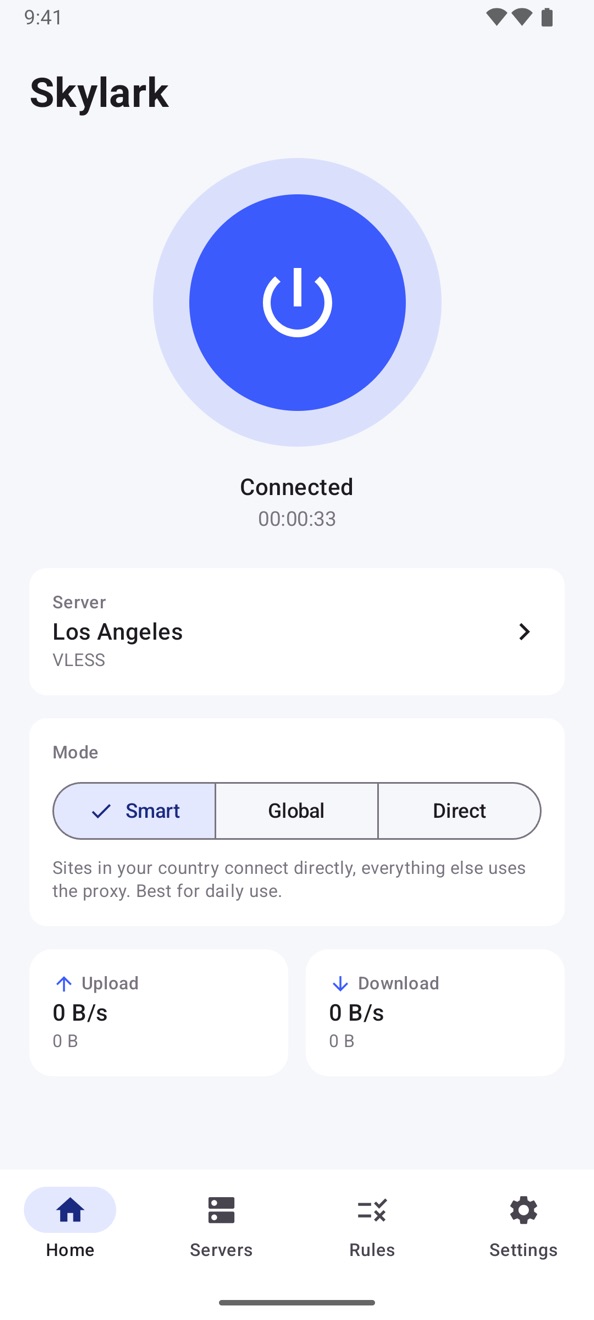
One tap to connect
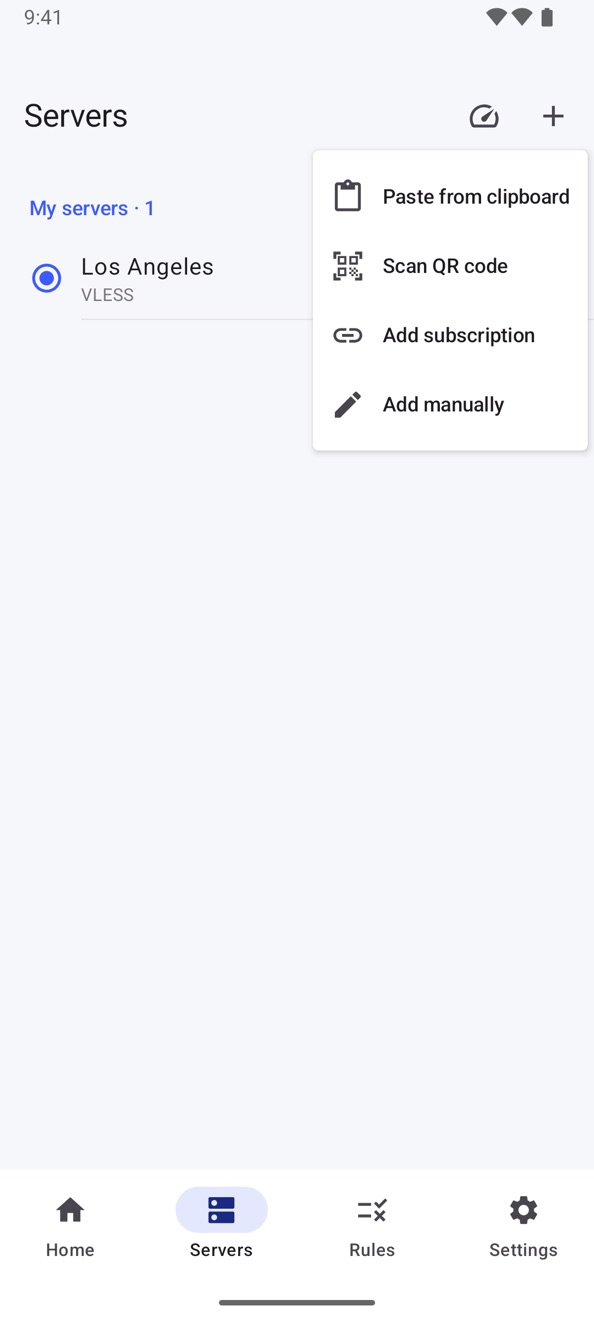
Add a server in seconds
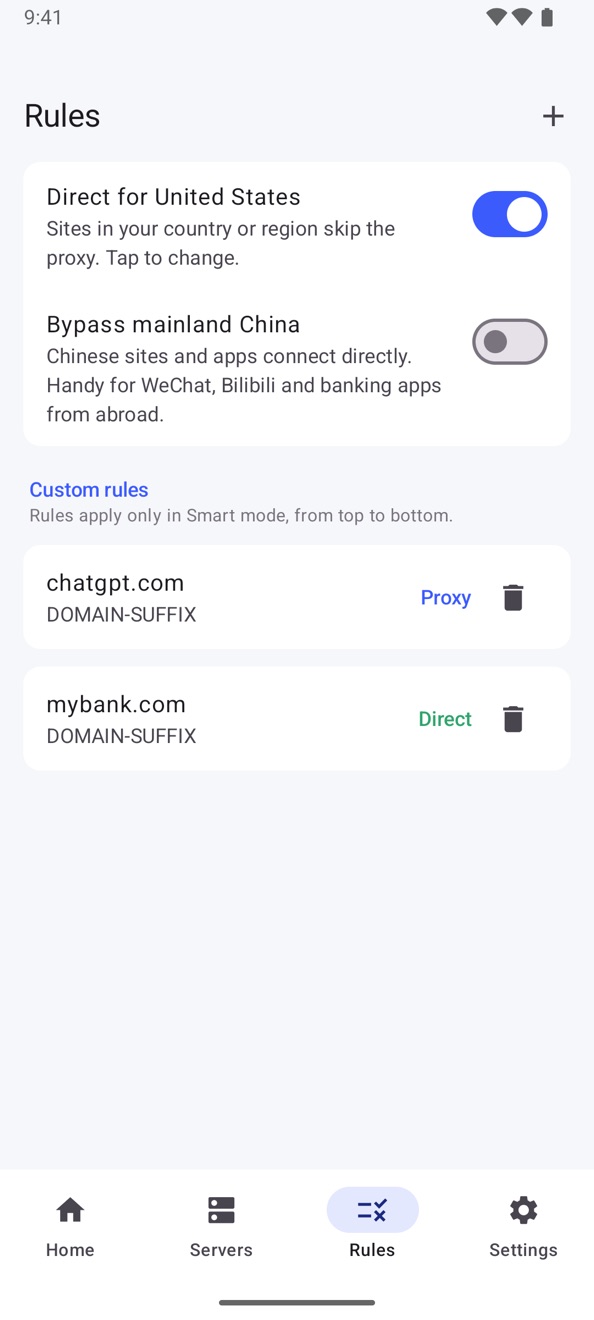
Smart rules
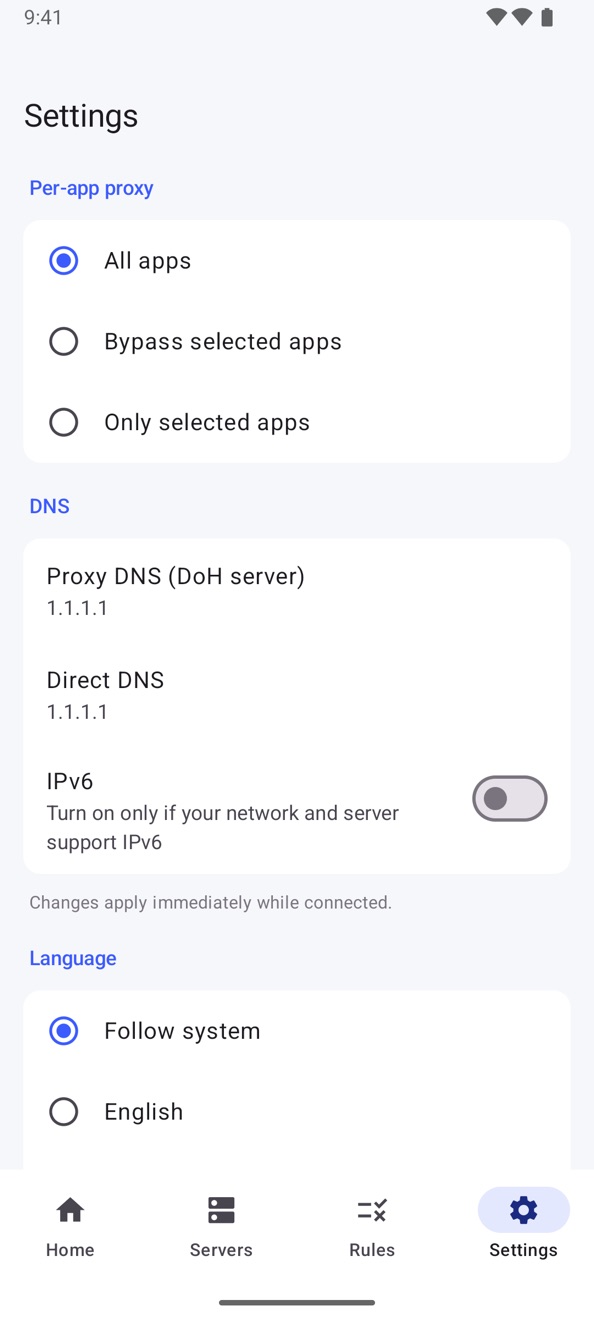
Per-app proxy and more
What it does
One tap to connect
A big Connect button with live speed and a timer. On Android, a Quick Settings tile switches it on without opening the app.
Add servers in seconds
Paste a share link, scan a QR code, add a subscription URL and update it with one tap — or enter a server by hand.
The protocols you use
Shadowsocks, VMess, VLESS (including Reality), Trojan, Hysteria2, TUIC, AnyTLS and SOCKS5. Subscriptions as base64 link lists, Clash YAML or sing-box JSON.
Smart mode
Sites in your own country go direct and everything else uses your proxy. Skylark detects your country, and you can change it.
Your rules, per app
Rules by domain, keyword, IP range or country. On Android you can also choose which apps use the proxy at all.
Private and open source
No account, no ads, no analytics. Your servers stay on your device. The source code is public under the GNU GPLv3.
Pricing
Launch offer: free through November 19, 2026 on Windows and Linux, and on Google Play from November 6. Regular price: US$2.99 on the App Store, on Google Play, and on lihaila.com for Windows and Linux (one license key for up to 3 PCs) — one purchase on each, no subscription and no in-app purchases. Skylark is free software under the GNU GPLv3; the source code is at github.com/Lihaila/skylark.
Privacy at a glance
- Account
- None.
- Your traffic
- We never see it. Skylark includes no servers; it connects to the one you add.
- Your servers
- Stay on your device.
- Ads and analytics
- None.
- License check (Windows and Linux)
- Activating sends your key, a hashed device ID, your PC name and the app version to our server, to enforce the 3-PC limit. For the purchase we keep your email address, license key, billing country and order references.
- Source code
- Public under the GNU GPLv3, so you can check what it does.
Questions
How do I install Skylark on Windows?
Click Get it for Windows and pay on the secure Stripe page. Your license key appears on the next page and arrives by email, with a download link. Unzip the download and open Skylark.exe. There is no installer. If Windows shows "Windows protected your PC", click More info, then Run anyway. Allow the administrator prompt, then paste your key and click Activate.
How do I install Skylark on Linux?
Click Get it for Linux and pay. One license covers Windows and Linux, and the Linux links are on the next page and in your email. Choose x64 for most PCs, or ARM64 for ARM machines (run uname -m if unsure). It needs WebKitGTK 4.1. In a terminal, run: tar xzf Skylark-Linux-*.tar.gz, then cd skylark, then ./install.sh. Open Skylark from your app launcher and paste your key. The ARM64 build was tested on Omarchy; the x64 build has so far only been tested in an emulated environment, so please tell us if anything goes wrong.
How do I install Skylark on iPhone, iPad or Mac?
Tap the App Store button and buy it there. On a Mac with an Apple chip, the same App Store listing installs it. The first time you connect, allow the VPN configuration prompt.
How do I install Skylark on Android?
Tap the Google Play button and buy it there. The first time you connect, tap OK on the VPN connection request.
How do I add my server?
Copy your share link and click Paste from clipboard on the Servers tab, or add a subscription URL. Then click the big Connect button on the Home tab. Skylark includes no servers, so you need your own server or a subscription from a provider.
Why does Windows warn me, and why does Skylark need administrator rights?
The warning appears because the Windows app is not code-signed yet. Administrator rights are needed to create the network adapter that carries your traffic. The source code is public, so you can check what it does.
How many PCs can I use my Windows and Linux license on?
Up to 3 at a time, Windows or Linux in any mix. To move it, open Settings on the old PC, click Remove from this PC, and paste your key on the new one. Skylark checks the key when you activate and again about every two weeks, and otherwise works without contacting us.
How do I update the Windows or Linux app?
The app does not update itself. Download the latest version from the link in your purchase email and quit Skylark. On Windows, open the new Skylark.exe. On Linux, run ./install.sh again. Your key and servers carry over.
Which protocols does it support?
Shadowsocks, VMess, VLESS (including Reality), Trojan, Hysteria2, TUIC, AnyTLS and SOCKS5, and subscriptions as base64 link lists, Clash YAML or sing-box JSON.
Does Skylark collect my data?
No. There is no account, no ads and no analytics, and your servers stay on your device. We never see your traffic. Activating on Windows or Linux sends your key, a hashed device ID and your PC name to our server, to enforce the 3-PC limit.
Where is Skylark available?
Everywhere except mainland China, where it is not offered or supported, and France, where it is not sold.